
Process Unstructured Data from Documents at Scale
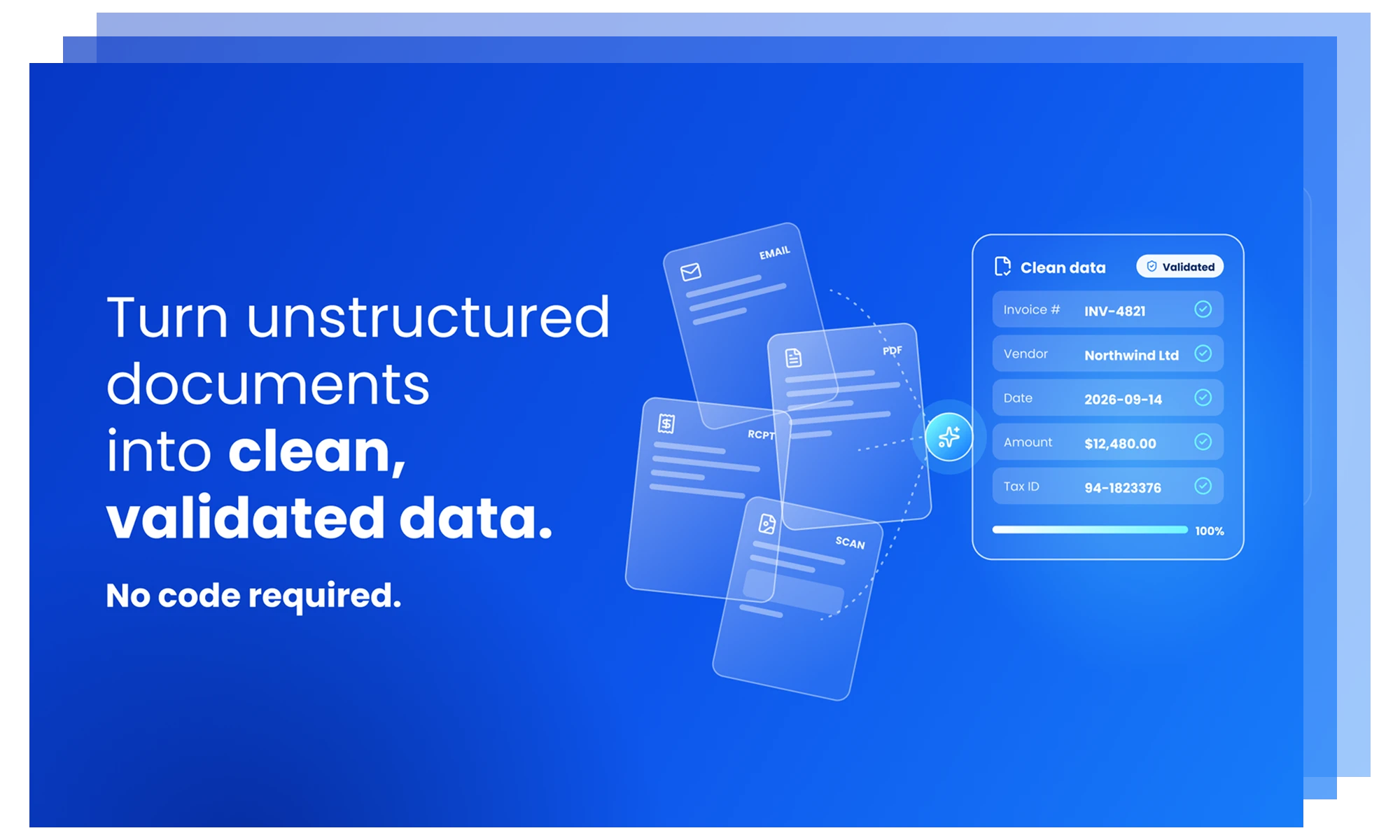
A no-code platform that automates data extraction from PDFs, scanned files, and unstructured documents and writes clean, validated data to Excel, ERP, databases and 300+ connectors.
Trusted by Customers Across Industries
See what customers are saying across leading review platforms.



Why Astera ReportMiner?
ReportMiner manages the end-to-end extraction pipeline within a single platform. Accurate extraction. Faster delivery. Automated workflows.

Works seamlessly with unstructured data in all formats and layouts
Extract data from PDFs, Excel files, Word documents, scanned images, and more. ReportMiner adapts to document structure. Templates are reusable across files with the same layout.
Build accurate reusable templates with AI in seconds
Upload the file and let ReportMiner generate templates in seconds using AI. A process that used to take 10 minutes per document is now automated at scale.
Full support for scanned and hierarchical documents
OCR accurately converts scanned files into machine-readable text. Hierarchical extraction preserves parent-child data structures from complex reports and nested documents.
Customizable rule-based validation steps
Built-in data quality checks catch errors before data reaches downstream systems. Validation runs against user-defined rules as part of the extraction pipeline, not as a separate task.
Load prepared structured data to any destination
Connect directly to databases, BI tools, ERP systems, CRM platforms, and APIs. Deliver extracted data to where it is needed without additional manual export steps.
Automate the full pipeline and monitor progress effortlessly
Schedule jobs by frequency or trigger them on file arrival or when an email is received. Run workflows across single or distributed servers. Monitor all jobs from a centralized dashboard.
One Platform For Every Document Type.
Unstructured documents come in all layouts and formats. From invoices, POs, contracts, to bank statements, claims, and medical records, each document presents a unique extraction challenge. ReportMiner handles all of them.
These extraction methods cover every scenario:
- Template-Based Extraction For documents with a consistent layout, Auto-Generate Layout (AGL) uses AI to detect the document structure and build a reusable extraction template in 5 seconds — automatically applied across all files that share that format. Built-in OCR ensures scanned PDFs and image-based documents are converted to machine-readable text before the template is applied.
- Template-Less Extraction For documents with no consistent format, natural language prompts instruct the AI on what to extract and how to organize the output — no template required. Built-in OCR handles scanned or image-based inputs here too, so unstructured documents are never a barrier.
Both methods support Google OCR, Amazon Textract, PaddleOCR, and Tesseract.
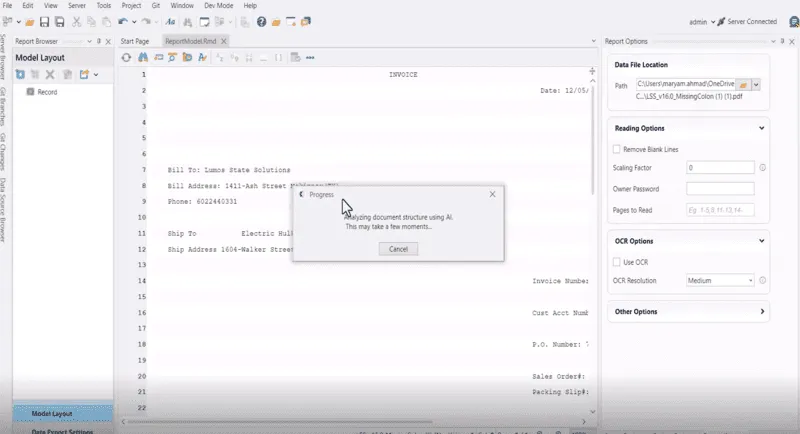
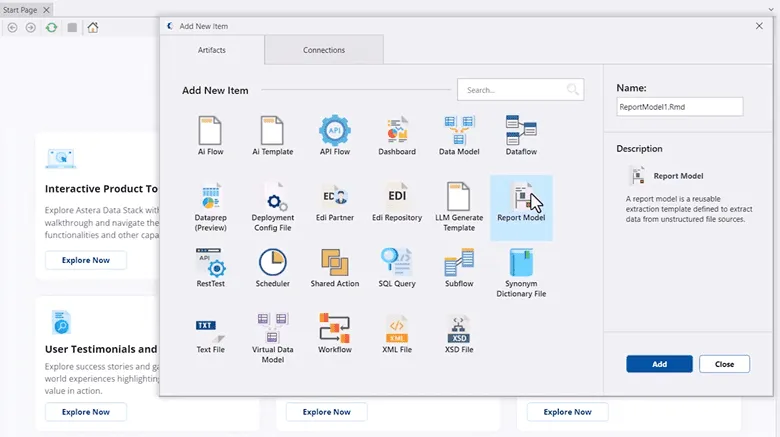
ReportMiner does not require coding, scripting, or any technical configuration. Operations and data teams build and deploy extraction workflows directly.
The visual interface lets users interact with document content to define fields, set rules, and preview results in the same environment:
- Point-and-Click Template Builder define extraction fields by clicking directly on document content — field names, types, and positions are set visually
- Real-Time Data Preview verify extracted data at every step of template creation before exporting — issues are visible before data moves anywhere
- Dynamic Customization Options relevant settings surface based on the part of the template being configured — no unnecessary complexity
Empower your team to work independently without IT dependency.
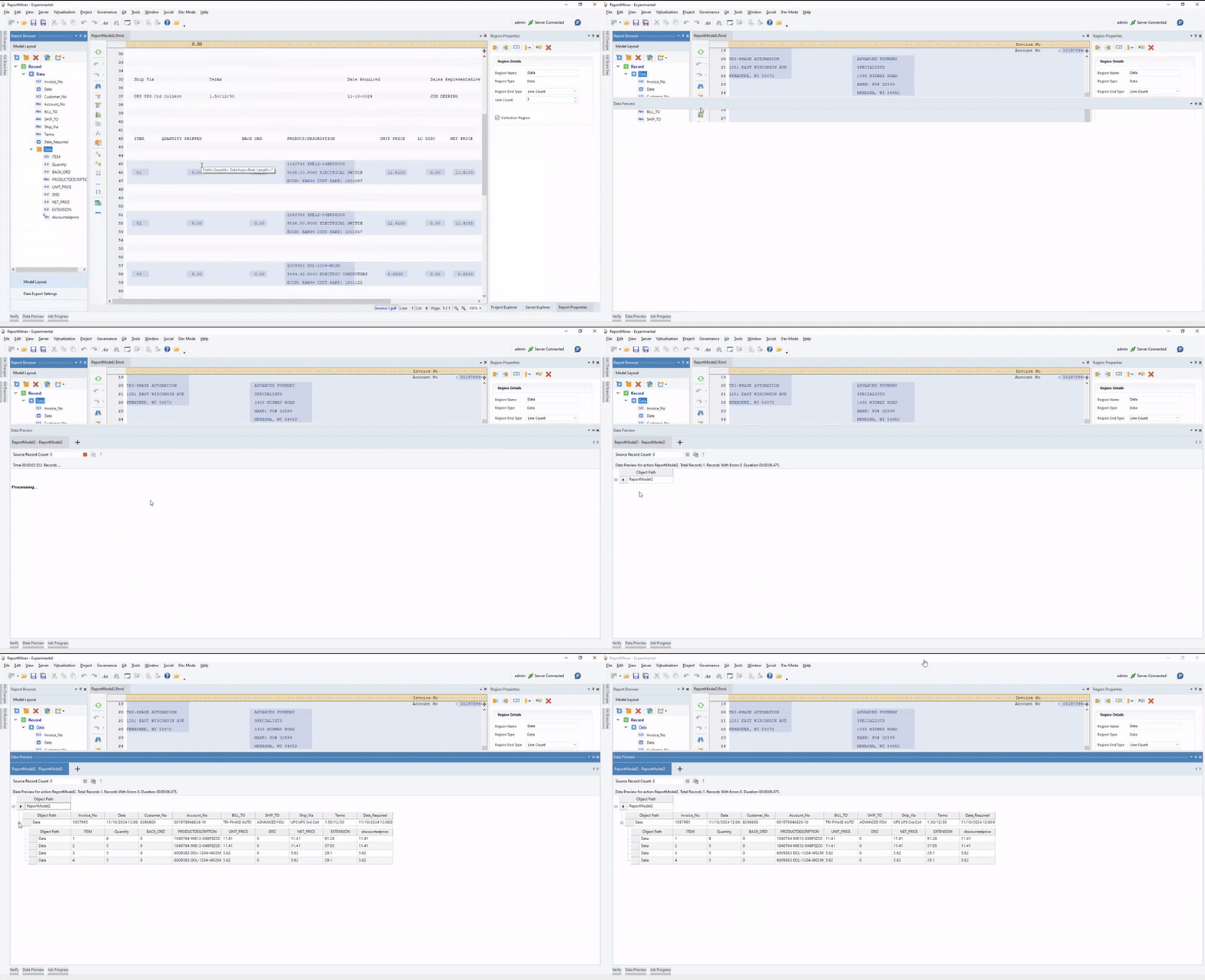
Extraction errors are easier to fix before data reaches downstream systems. ReportMiner surfaces extracted data in real time as templates are built and adjusted.
Preview capabilities operate at every stage:
- Live Preview Window extracted data updates immediately as fields are defined — what the output will look like is always visible
- Format Verification confirm output structure and data completeness before exporting to any destination
Reduce manual rework and ensure data quality from the start.
Not all documents follow simple structures. ReportMiner includes detailed controls for capturing data from complex layouts such as hierarchical documents, key-value pairs, and tabular data with collection items.
Customization operates at the field level and the model level:
- Hierarchical Extraction define parent-child data structures for documents like order reports and inventory lists — export as JSON, XML, or structured database tables per entity
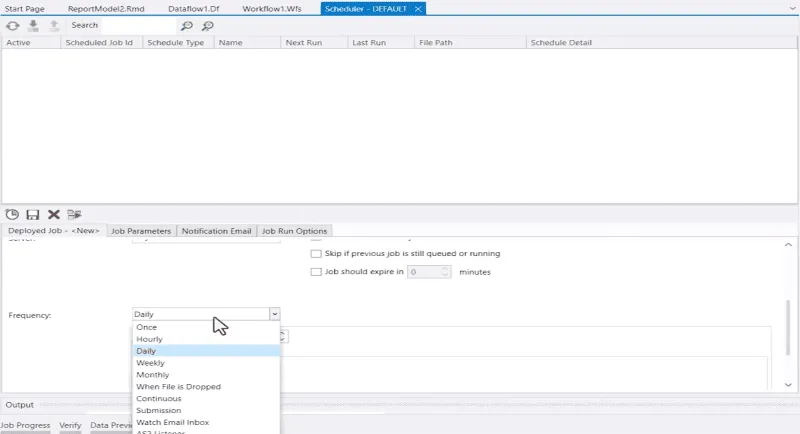
- Calculated Fields create derived fields using a library of 200+ built-in functions — aggregations, conversions, and calculations run at extraction time
- Automatic Field Verification checks for missing characters and overlapping fields automatically, flagging issues before they affect output
Tailor your extraction to match your exact business requirements.
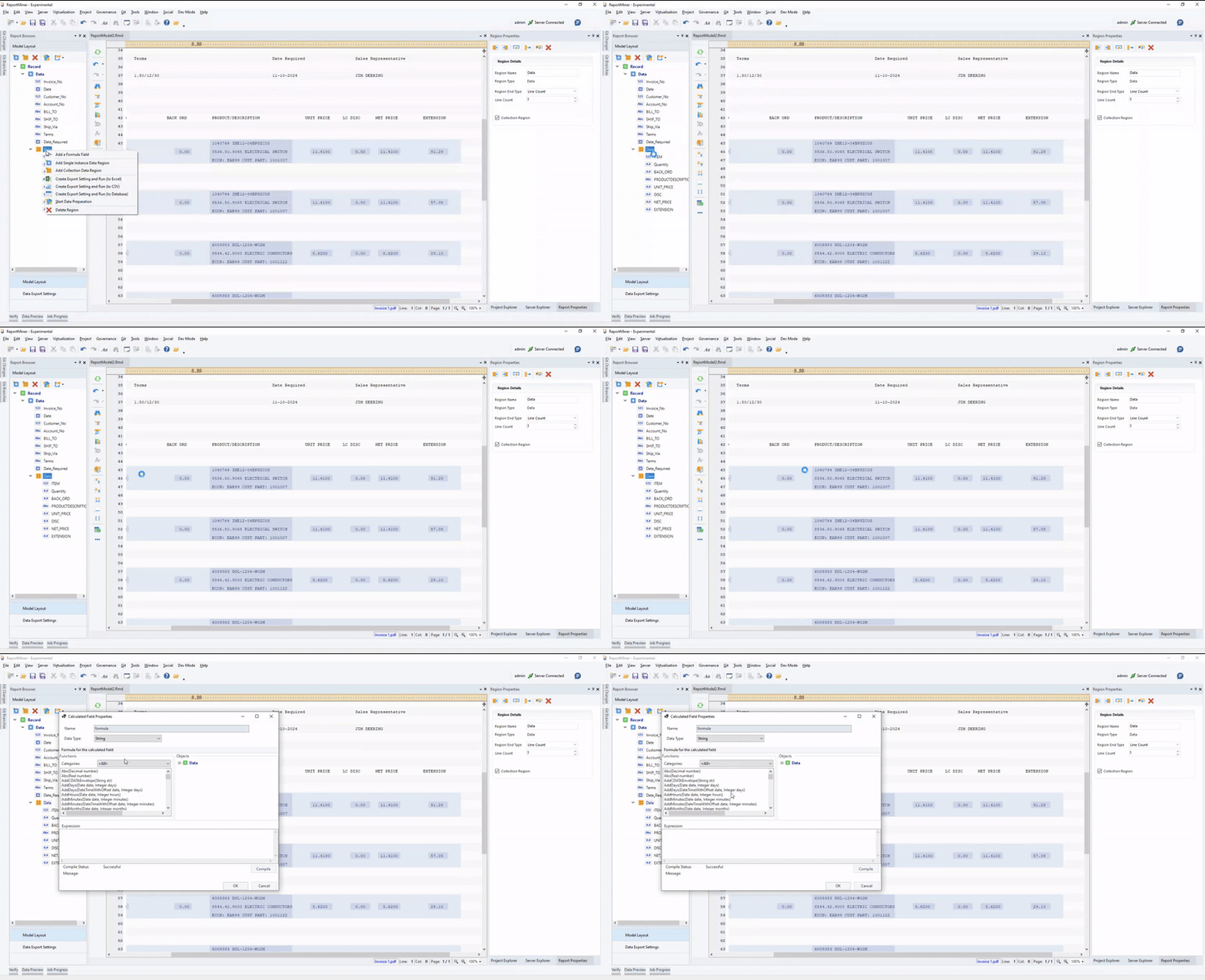
Extracted data is not automatically clean data. ReportMiner includes validation and transformation capabilities that run as part of the extraction pipeline, before data is delivered.
Data quality is not a separate step. It is built in:
- Data Cleansing remove noise, unwanted characters, punctuation, and whitespace from extracted fields — output is clean before it reaches its destination
- Validation Rules define custom rules to enforce accuracy and consistency — ReportMiner reports error counts, null counts, and warnings per job
- Built-in Transformations handles type conversion, column restructuring, aggregation, and calculation without additional tooling
Deliver clean, reliable data to your downstream systems.
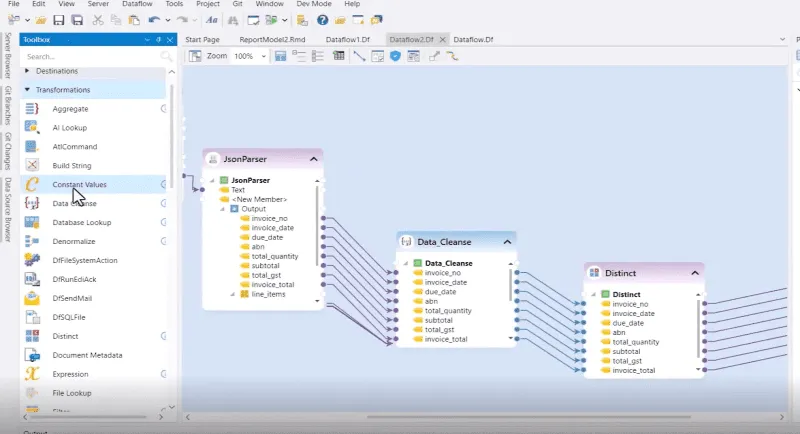
Manual extraction does not scale. ReportMiner automates the full document processing pipeline, from file ingestion through validation and delivery, without manual steps between stages.
Automation runs at the workflow level:
- Job Scheduler set run frequencies or trigger jobs on file drop — workflows execute automatically without user action
- Distributed Execution run jobs on a single server or distribute across multiple servers — processing capacity scales with volume
- Real-Time Job Monitoring track all deployed jobs from a centralized dashboard — set alert emails for errors, completions, and abnormal terminations
Build enterprise-grade automation without complexity.
Real Results from Real Teams.

“We have been using Astera, Azure Form Recognizer, and PDF Focus. But once we started implementing Astera, we found the product to be most flexible in terms of its capability compared to others, and we are pretty much not using other products at this point.”
Hayder Mir, Sr. Manager, Custom Applications
at Ciena Corporation

“We really wanted to steer away from a manned operation to go to an unmanned automated system. And that’s where we found Astera to have the ability to do that.”
John Goodacre, Director GaP Solutions
at GaP Solutions

“Astera has impacted our business in a very positive way. We’ve been using the product for a year, and still have a lot to learn, but we are always thinking of new ways that Astera can help automate processes for us.”
Robert Jobkar, Vice President of Technology
at CoWorx Staffing
Built for the Documents Your Business Runs On
ReportMiner handles the document types that generate the most manual work.






Frequently Asked Questions
Everything you need to know about ReportMiner and how it transforms your data extraction workflow.
ReportMiner processes PDF, TXT, CSV, XLS, XLSX, DOC, DOCX, RTF, PRN, COBOL, JPG, PNG, HTML, Markdown, and more. Scanned and image-based documents are handled through built-in OCR, which converts visual content into machine-readable text before extraction.
No. ReportMiner uses a visual, point-and-click interface. Teams build, configure, and deploy extraction workflows without writing code or scripts. Business users and operations teams can work independently without IT involvement.
AI powers extraction in two ways. The Auto-Generate Layout (AGL) feature analyzes a document and generates a reusable extraction template in 5 seconds. The LLM Generate feature uses large language models to extract data from documents with variable or unpredictable layouts, using natural language prompts to define what to extract and how to structure the output.
The LLM Generate feature handles unstructured or variable documents without requiring predefined templates. For documents that share a consistent layout, Auto-generated templates are reusable across all files with that structure. Both methods operate within the same platform.
ReportMiner connects to relational databases, including SQL Server, Snowflake, PostgreSQL, Oracle, MySQL, Redshift, SAP HANA, and others via ODBC. It also supports BI tools, ERP and CRM systems, APIs, and file formats including CSV, Excel, JSON, and XML.
Data quality runs as part of the extraction pipeline. ReportMiner validates extracted data against user-defined rules and reports error counts, null counts, and warnings per job. Built-in transformations clean and standardize data before delivery. Validation does not require a separate tool or a separate workflow.
Explore Our Resources
Discover guides, tutorials, and best practices to get the most out of Report Miner.
 WEBINAR
ReportMiner — Mortgage Document Automation
Join as our experts share an in-depth demo.
Watch now EBOOK
AI-Driven Document Processing: A Playbook for UK Mortgage Operations
Learn best practices and advanced techniques.
Download BLOG
How to Extract Document Data with AI
Read about real-world use cases and benefits.
Read more WHITEPAPER
AI-Powered Data Extraction: An Overview
Deep dive into the technology behind our platform.
DownloadBook a Demo to See How ReportMiner Handles Your Documents
Let's Make it Happen!
Talk to an expert. Bring your documents. We'll show you the extraction process from start to finish.
But why pick Astera?
- AI-powered extraction generates templates in seconds and handles variable document layouts without manual reconfiguration per document type.
- No-code interface means ops and data teams build and manage workflows without IT dependency or scripting knowledge.
- End-to-end automation runs from file ingestion through validation and delivery, with scheduling, monitoring, and error alerts built in.
Fill out the form to speak with an expert.
Ready to Transform Your Data Workflow?
Join thousands of businesses leveraging AI for data success. Start your free trial today.