

Invoice scanning is a crucial step in managing the accounts payable (AP) process for any business. In simple terms, invoice scanning is the process of digitizing paper invoices — whether by physically scanning documents or photographing them — so they can move through your AP workflow electronically instead of by hand.
It's easy to assume paper invoices are a thing of the past, but according to Bottomline's State of ePayables report, more than 48% of invoices are still received in paper format. That's exactly where invoice scanning comes in: it replaces the manual, time-consuming process AP teams used to rely on with an automated one, so paper invoices don't slow down an otherwise digital workflow.
In this blog, we'll look at what invoice scanning is, how it works, its benefits, and potential use cases.
What is Invoice Scanning?
Invoice scanning, as the name suggests, refers to the process of digitizing paper invoices. This can be done by scanning the invoice or by taking a picture of the invoice.
While invoice scanning and invoice data extraction are often used interchangeably, they are two different steps in the overall invoice processing workflow. Simply put, invoice scanning is about converting invoices from paper to digital format, whereas invoice capture is about extracting information from the invoice.
Nevertheless, efficient invoice management cannot be achieved without digitization, especially invoice scanning. Before this technology, accounts payable teams had to manually enter data, which consumed valuable time and resources. Invoice scanning has changed that, automating much of the work and making the entire process more streamlined and efficient.
In short, invoice scanning represents the transition from paper-based invoicing to digital systems, which offer significant benefits (more on that later).
How AP Invoice Scanning Works
For accounts payable, invoice scanning turns the supplier invoices your team receives into data your finance system can use. Here's how the process works, step by step:
Invoice scanning is typically carried out using OCR technology. OCR, short for optical character recognition, is a widely used technology that can convert printed or pictured text into digital data. It recognizes characters in scanned documents or images and converts them into editable and searchable text. While OCR has been around for a while now, recent leaps in AI technologies are also transforming how OCR works.
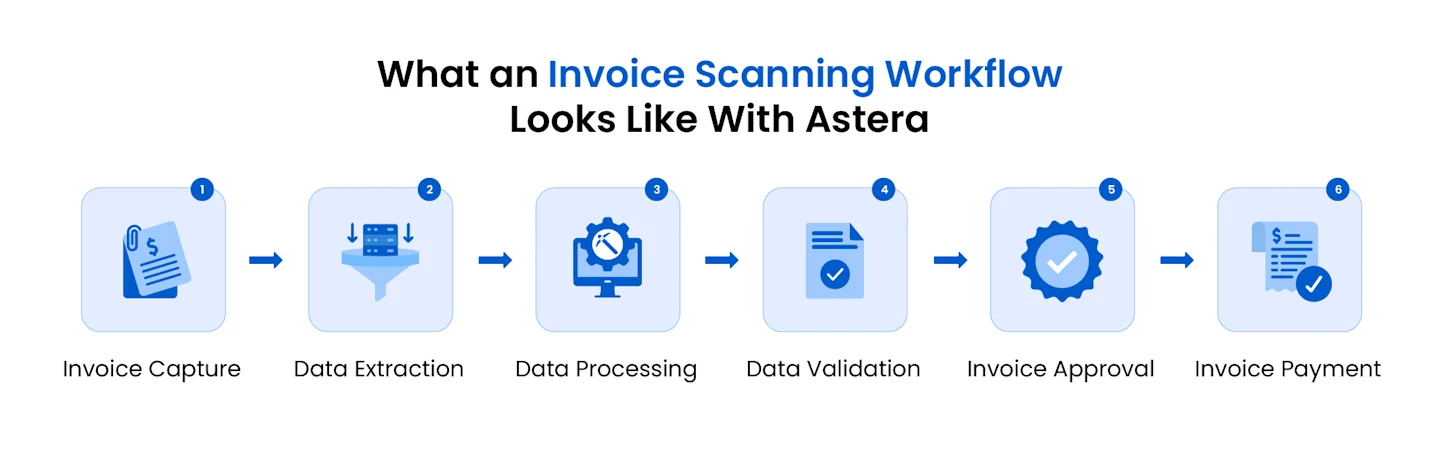
That said, here's what invoice scanning using OCR typically looks like:
1. Invoice Capture
AP teams receive invoices through various data sources. For instance, some vendors send them via email, while others send paper invoices, which an employee then scans and uploads online. This first step involves seamlessly connecting all the data sources to the invoice scanning software.
2. Data Extraction
Just as the source varies, the structure, layout, and data fields on an invoice can also vary significantly between different contractors and vendors. The data extraction step involves identifying and extracting relevant fields for processing, either through OCR or IDP (intelligent document processing).
3. Data Processing
Once the relevant fields have been extracted from all invoices, the data undergoes processing. Processing can vary from solution to solution, but it typically involves aligning the data fields with any predefined templates.
AI-powered invoice scanning uses algorithms to process data based on previously processed invoices to ensure all the relevant data fields have been accurately extracted.
4. Data Validation
After the invoice data has been processed, it is validated based on pre-defined validation rules. For instance, this could include verifying that the invoice data is within an acceptable range, for example, not older than 90 days, to confirm that it is indeed accurate. Data validation also ensures that any data that doesn't meet the set standards is routed for manual verification.
5. Invoice Approval
As soon as the validation is complete, the invoice is routed to the relevant person(s) for approval. This routing is based on pre-defined approval workflows that can be set up as part of overall invoice processing.
6. Payment
After the invoice goes through the approval workflow, the accounts payable team processes the payment. Payments can also be automated for recurring invoices with integrated payment functionality.
While these steps can vary depending on a number of factors, modern invoice scanning ensures that most of them are automated through AI and machine learning technologies and require minimal human intervention.
Comparing OCR engines? See the best AI OCR software for 2026.
From 24 hours to 3 minutes per invoice
See how GaP Solutions cut invoice processing from 24 hours to about 3 minutes.

4 Types of Invoice Scanning Techniques
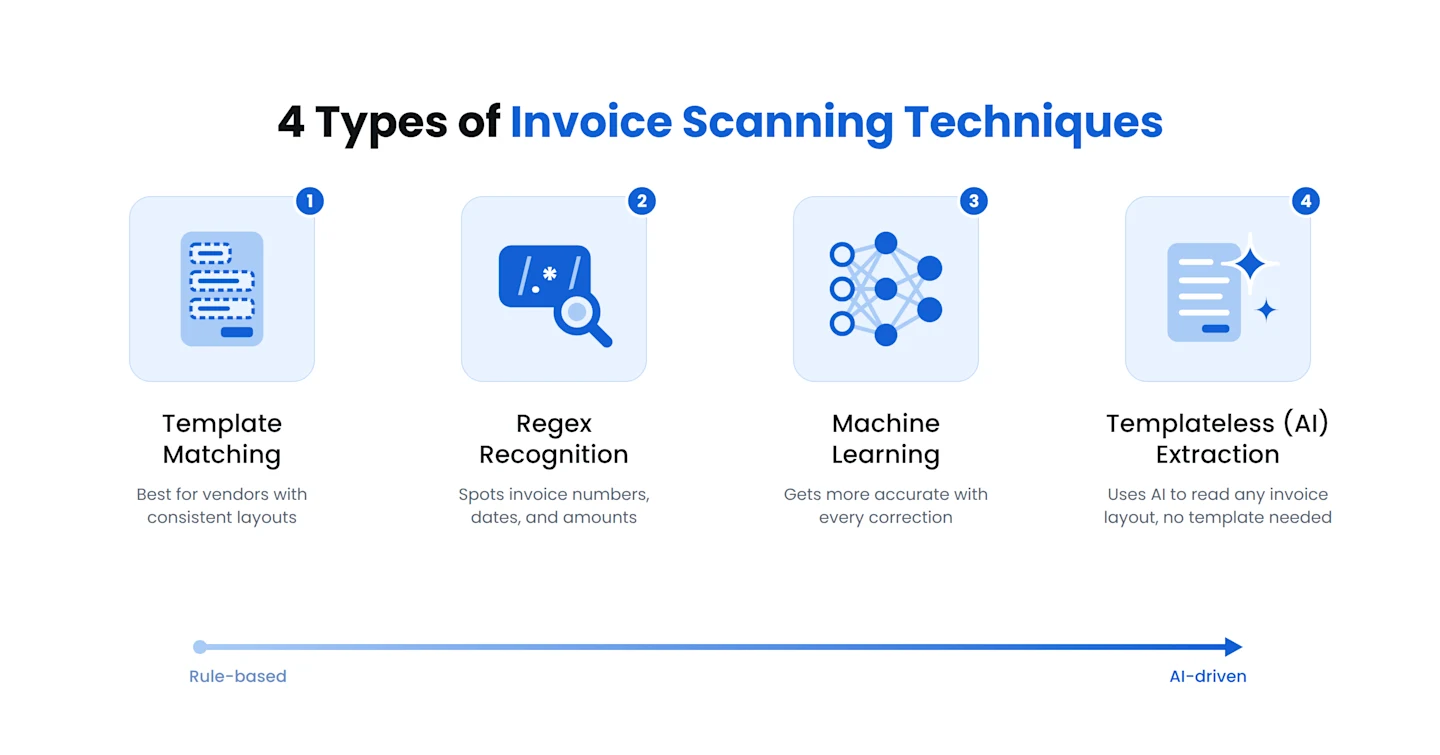
The accuracy of the data extraction step depends largely on the technique the software uses. Invoice scanning software can use several techniques to identify and extract information from invoices:
1. Template Matching
Template matching compares an invoice's layout with a predefined template to locate fields such as supplier name, address, invoice number, and totals. It's fast and accurate when a vendor's layout remains consistent. Astera customer GaP Solutions, for example, reuses template-based extraction models for invoices that share the same layout.
2. Regex Recognition
Regex recognition uses regular expressions to identify patterns such as invoice numbers, dates, and amounts, even when they appear in different formats.
3. Machine Learning
Machine learning learns from corrections and previously processed invoices. As the software encounters more document types, its extraction accuracy improves.
4. Templateless (AI) Extraction
Templateless, AI invoice processing uses natural language processing (NLP) to identify fields based on their meaning rather than their position on the page. It's especially useful when invoices arrive in many different layouts, because each layout doesn't require a separate template.
Automated invoice scanning
Manual invoice scanning stops at turning paper into an image or text file; someone still reads it and types the details. Automated invoice scanning goes the whole way: it scans or ingests the invoice, reads it with OCR, extracts the fields with AI, validates them, and passes the data into your workflow without manual entry. The difference shows most at volume, where automated scanning holds a steady speed and accuracy that manual work can't. It also creates a consistent digital record of every invoice, which helps with search, reporting, and audits.
How to Prepare Invoices for Accurate Scanning
The quality of the source document directly affects how accurately OCR software can read it. Before scanning invoices:
Use a scanner that produces clear, high-resolution images.
Keep pages straight and flat to prevent distortion.
Avoid scanning creased, folded, or damaged documents where possible.
Use even lighting to prevent shadows, glare, and low contrast.
Remove stickers, stamps, or other marks that cover important text.
You should also configure extraction rules for the fields your AP process requires and regularly review extraction accuracy to identify areas for improvement.
Messy Scans Shouldn't Mean Manual Data Entry
You can't control how vendors send invoices. Astera's AI reads any format or layout with 99.5% accuracy, even on messy scans. No templates and no rekeying.
Best Practices for Automated Invoice Scanning Software
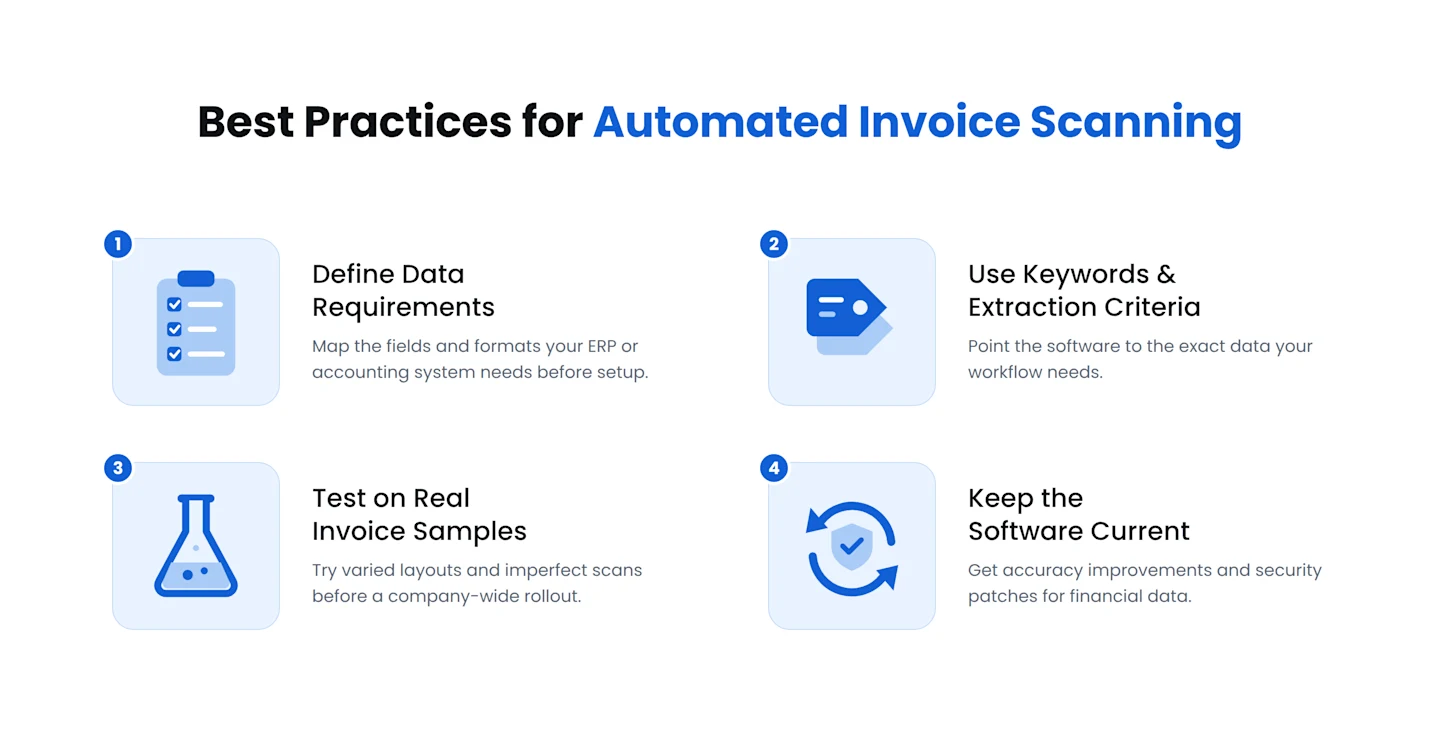
Follow these practices to get more reliable results from automated invoice scanning:
Define your data requirements first. Identify the fields and formats your ERP or accounting system requires before configuring the software.
Use relevant keywords and extraction criteria. These help the software recognize and extract the information your workflow needs.
Test on real invoice samples. Include invoices with different layouts and less-than-perfect quality before deploying the solution across your organization. Testing helps identify problems before they cause costly processing errors or delays.
Keep the software current. Updates can provide accuracy and performance improvements as well as security patches. This is especially important when processing financial data.
Using Invoice Scanning to Detect Fraud
Payments fraud remains a significant risk for organizations. According to the AFP's 2026 Payments Fraud and Control Survey, 76% of U.S. organizations experienced attempted or actual payments fraud in 2025. As part of a broader AP automation workflow, automated invoice scanning can help identify invoices that warrant closer review.
Depending on the rules and data available, the software can flag:
Invoices from unknown vendors, or invoices that differ from a vendor's usual format.
Duplicate invoice numbers or suspiciously repeated amounts.
Prices that are significantly higher than a vendor's typical range.
Sudden changes in bank details or unusual payment patterns, such as many payments being directed to the same account.
Because every invoice is checked consistently against predefined criteria, suspicious transactions reach a reviewer faster, and AP staff don't have to manually inspect every invoice.
What to look for in AP scanning solutions
Not every scanning tool is built for accounts payable. When you evaluate AP invoice scanning software, check for:
Accurate OCR across formats: it should read paper, PDF, and image invoices from many vendors, not just clean templates.
Templateless extraction: it should pull fields and line items without a saved layout per vendor.
Validation: it should check fields, totals, and matches (such as to a PO) before data moves on.
ERP and accounting integration: it should deliver clean data into the systems you already run.
Volume and security: it should handle your invoice load and keep sensitive data protected.
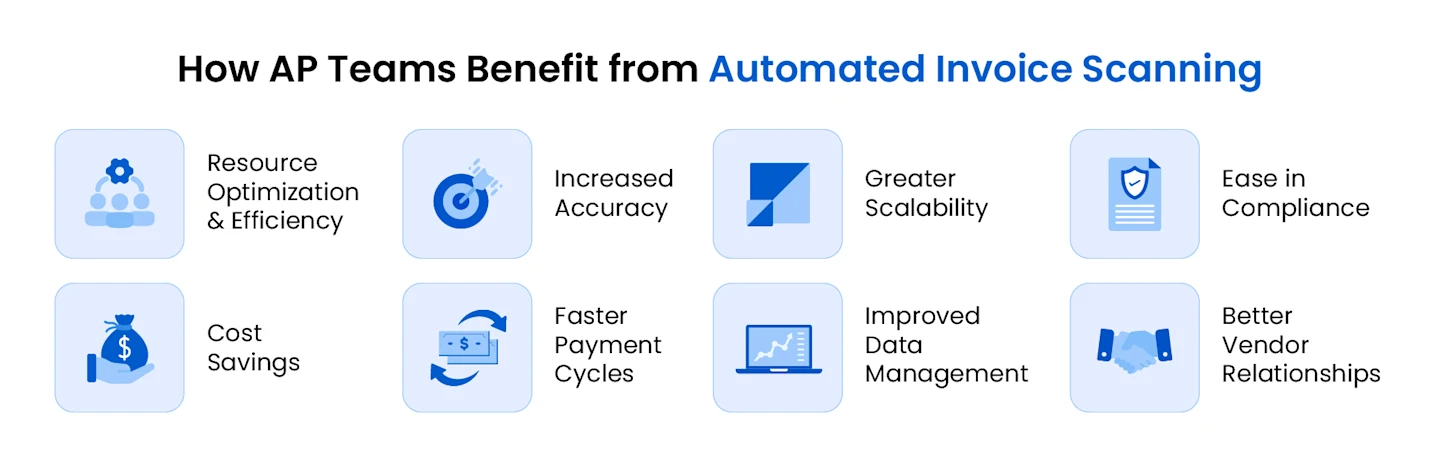
8 Benefits of Invoice Scanning for AP Teams
So far, we've talked about what invoice scanning is and how it works. Now, let's look at how invoice scanning benefits AP teams:
1. Resource Optimization & Efficiency
Invoice scanning automation allows AP teams to reduce manual data entry tasks by more than 80%. More than 50% of AP professionals consider manual data entry to be their biggest challenge, and 71% want to automate their invoice scanning to speed up their AP operations.
2. Cost Savings
Invoice scanning can also result in significant cost savings for AP teams as it reduces and even completely eliminates the need for manual data entry.
According to estimates, 80% of businesses are expecting growth in the volume of invoices their AP teams will process in the coming years. Considering this increase in volume, automated invoice scanning can help companies save on manual data entry and avoid late payment penalties.
3. Increased Accuracy
According to PYMNTS, 85% of finance leaders think invoice scanning automation leads to more accurate processes. Plus, 47.1% of AP professionals believe one of the biggest invoice-related challenges is data errors and discrepancies, causing process delays for approvers and stakeholders.
With AI-powered OCR finding increased use, the higher accuracy makes it a worthwhile investment for AP teams of all sizes.
4. Faster Payment Cycles
By automating invoice scanning, AP teams can not only streamline invoice processing but also speed up the payment cycle by up to 50%. The overall upside is that companies can improve their cash flow management significantly.
5. Greater Scalability
Lack of scalability with manual invoice scanning is a big hurdle for companies looking to grow. Invoice scanning can help businesses scale without having to hire additional resources for data entry.
6. Improved Data Management
Modern invoice scanning solutions also improve the overall data management for companies in more ways than one. For instance, since all the invoices are stored and processed digitally, stored data is easy to organize, search, and retrieve when needed.
7. Ease in Compliance
AP teams also have compliance and audit-related responsibilities to fulfill. With manually processed invoices, preparing reports for auditing can take up a lot of time. However, automated invoice processing can help AP teams access recorded invoices instantly and generate reports in no time.
8. Better Vendor Relationships
With faster payment cycles, invoice scanning also has a positive impact on vendor relationships. Companies that process payments on time are able to build long-term and favorable partnerships with vendors, which in turn leads to business benefits in the long run.
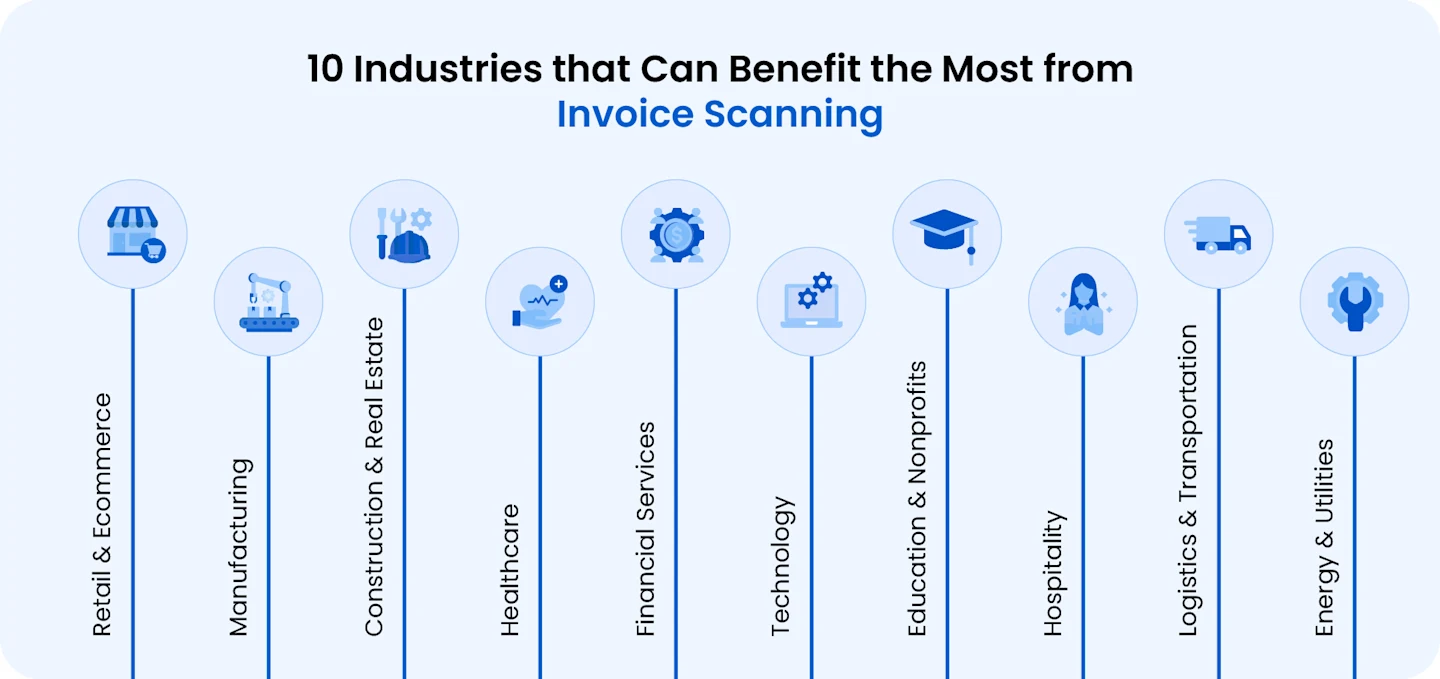
Invoice Scanning: Top 10 Sectors That Benefit The Most
While we've discussed how investing in modern invoice scanning offers a host of benefits, which sectors stand to gain the most? Certain sectors, like financial services, healthcare, technology, and logistics, have unique AP challenges that invoice scanning can solve.
1. Retail and E-Commerce
Retail and e-commerce sectors have high transaction volumes, multiple suppliers, and the need for fast inventory turnover. Modern invoice scanning tools can enable companies in the sector to streamline their accounts payable, improve supplier relationships, and get real-time visibility into their cash flow to effectively manage fluctuating demand.
2. Manufacturing
The manufacturing sector deals with complex supply chains and frequent purchase orders, which require precise invoice matching and timely payments to avoid production delays. By streamlining invoice scanning, companies can implement automated matching of invoices, purchase orders, and receipts, better cost control, and reduced risk of supply chain disruptions.
3. Healthcare
The healthcare sector is known for its high compliance requirements, a wide variety of vendors, and strict deadlines for payments. By automating invoice scanning, companies can ensure regulatory compliance, accurate record-keeping, and seamless integration with procurement systems.
4. Construction & Real Estate
In the real estate and construction sector, numerous vendors, subcontractors, and project-based payments can make manual invoice scanning challenging. However, with the right solution, companies can get benefits such as centralized invoice tracking, faster approval workflows, and the ability to manage payments tied to project milestones.
5. Financial Services
The financial services sector also deals with large transaction volumes and the need for strict security and fraud prevention measures. Streamlined invoice scanning can enhance fraud detection, fast-track payment approvals, and improve regulatory compliance.
6. Technology
Many companies in the tech sector are contending with fast-paced growth, international vendor relationships, and subscription-based expense models. With automated invoice scanning, tech companies can enjoy scalable processes, seamless integration with ERP and CRM systems, and real-time reporting for better decision-making.
7. Hospitality
Multiple locations, high vendor diversity, and seasonal spending patterns are part and parcel of the hospitality sector. However, automated invoice scanning ensures centralized management of vendor payments, early payment discounts, and better cash flow management.
8. Education & Nonprofits
Organizations in the education and nonprofit sectors are bound by limited budgets and strict accountability for donor or grant funds. By automating their invoice processing, they can get transparent reporting, cost savings, and more efficient use of limited resources.
9. Logistics & Transportation
Logistics and transportation companies deal with frequent invoicing and payments for fuel, maintenance, and third-party services. With streamlined invoice scanning and payments, they can benefit from automated invoice matching, faster approvals, and real-time tracking of expenses for better budget control.
10. Energy & Utilities
Companies in the energy and utilities sector face high regulatory oversight and deal with numerous vendors for equipment, supplies, and services. Automated accounts payable helps them improve compliance, enable faster invoice processing, and enhance fraud prevention.
Streamline Your Invoice Scanning with Astera
Invoice scanning is crucial for smooth accounts payable operations for every organization, regardless of their size or the sector they're in.
If you're looking for a reliable partner, Astera can automate your accounts payable workflow for faster, more accurate invoice processing. With Astera's AI-powered invoice processing solution, your AP team can achieve:
Up to 97% error reduction in invoice scanning,
Up to 8 times faster invoice processing,
And up to 90% faster data extraction.
Schedule a demo with our team to see how Astera can streamline your invoice scanning.